Pages

Showing posts with label Kindergarten Resources. Show all posts

Wednesday, March 11, 2015

GENIUS MOMENTS

Fact. …when people open their mouths to speak, they send more oxygen to the brain AND oxygen is essential to healthy brain development.  Our students NEED to brainstorm and discuss ideas! Talking in the classroom is a good thing!!

To be more specific, teachers should be intentionally challenging students by asking a variety of questions that enable students to use their reasoning, critical-thinking, and creative-thinking skills.  An EXCELLENT way to do this is by using Bloom’s Taxonomy of multi-level questioning. If you are a teacher, you probably know all about Bloom’s taxonomy.  …or at least you remember hearing those words once or twice when you were in college.

I spend a lot of my day asking a variety of questions to further understanding, but do I truly ask questions that require a higher level of thinking?  …not always.  I mean, if I am in the middle of giving instruction, I can’t necessarily know if I am actually hitting ALL SIX types of questioning!!

…so what are GENIUS MOMENTS?

In my classroom, I refer to the unexpected “extra moments” that I find within my schedule as GENIUS MOMENTS! You know what I mean, the three extra minutes you have before the bell rings, or the four extra minutes you have because your students finished their center rotations early. If you are like me, you don’t want to waste one, single minute of classroom instructional time! I turn those extra, unplanned moments into GENIUS MOMENTS!
Brain Building Question Cards.Middle School

Brain Building Question Cards.Middle School.3Brain Building Question Cards.Middle School.4

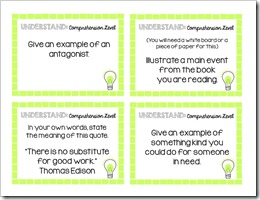
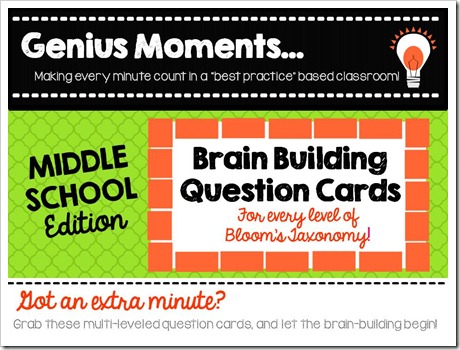
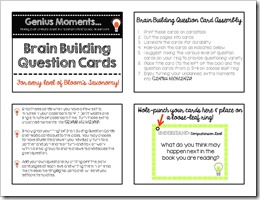
[Mrs. Ehle’s Kindergarten Connections] and I are working together to bring you a variety of tools, all based on best practices, that can help you make the most of those GENIUS MOMENTS!  The Genius Moments: Brain Building Question Cards are one of those super-simple, yet very impactful tools!  Check out the Middle School Edition [here] and find Mrs. Ehle’s Primary Edition [here]. 

…and be sure to check back for more tools that you can use to turn your unexpected extra moments into GENIUS MOMENTS!



Saturday, March 29, 2014

DESKTOP MAKEOVER

Maybe you can relate.  …as the school year progresses, my desktop becomes more and more explosive with files, downloads, programs, and clutter.  AND, I hate going through the same “click series” over, and over again, to find that one file that I always seem to need.

This past weekend, thanks to the fabulous, Amanda @ Mrs. Pauley’s Kindergarten, I discovered the solution; a desktop makeover.  While sitting next to her at the Indiana Spring Teacher Blogger Meet-Up, I couldn’t help but notice her awesome desktop complete with a colorful background and frames for organizing all of her icons.  …I had to have one of my own!

DISCLAIMER:  I am NOT a tech expert.  I tend to click around until I either have a complete disaster, or something useable.  My first attempt was chaos.  I created an image that was the same size as a PowerPoint slide, only to find that when I set it as my desktop background, it was too stretched and extremely fuzzy.  Attempt #2 was much more successful.

I started by inserting a rectangle in PowerPoint.  Then I adjusted the size of the rectangle so that it was the same size as my computer screen.  I literally grabbed a ruler to measure the size of my screen.  (Of course, a normal ruler was no where to be found.  My 6th graders gave me slightly outrageous looks as I used a yard stick to measure my laptop screen.  Good thing they are used to my crazy!!)

DesktopDesign.Step1   DesktopDesign.Step2

Then, I changed the fill of that rectangle, added frames for maximum organization, and inserted titles.  …this took me forever.  I just have so many fun backgrounds, frames, and fonts…decisions, decisions. 

When you save your final creation, it is important to save it two ways.  First, save the PowerPoint so that you can easily edit your desktop in the future.  Next, select all the items and save them as a picture.  To do this, use the shortcut CTRL+A to select those items.  Then, hover over one of the outlines of an item, right click, and save it as a picture. 

DesktopDesign.Step3

SUCCESS!  Set the image as your desktop background and enjoy a whole new, organized look.  I love the Sticky Notes that you can add to your desktop; an inspirational quote that can be easily changed each week was the perfect finishing touch.  “Rise up and attack each day with enthusiasm!”


Be sure to check out Amanda’s blog for more of her brilliant ideas!!  Thanks Amanda!
Mrs. Pauley's Kindergarten

Friday, March 14, 2014

IT'S OFFICIAL!!

Thanks to the encouragement of the one and only, Holly Ehle, I have decided to start blogging about all of my fabulous, exciting, exhausting, and sometimes catastrophic experiences teaching middle school.

(If you don't follow Holly, start.  She is an incredible Kindergarten teacher, and her blog is full of resources for both KinderTeachers and bloggers. Check it out. Mrs. Ehle's Kindergarten Connections. ...she is also my sanity at school each day and I often wonder what I would do with out her.)

Teaching at a small private school where there is only one class per grade level, has it's perks.  For example, I am able to refer to myself as the BEST 6th grade teacher in the building, without feeling all that guilty.  ...but, I love to brainstorm, share ideas, and "steal" resources from teachers that teach similar content, and that doesn't often happen when you are the only 6th grade teacher in the building...

Get ready, I teach middle school math, literature, writing, and art.  I can't wait to start sharing some of my go-to-places for resources, as well as those things I create on my own. ...and I hope you are willing to share with me as well.